
Introducing the New Currency Updater Setup Experience
Simple. Faster. More Powerful.
We’re pleased to announce the redesigned Setup Experience for Axy7 Currency Updater.
The new guided wizard makes configuration faster, clearer, and fully aligned with Salesforce best practices. In most cases, you can authorize and apply the default configuration in just two clicks.
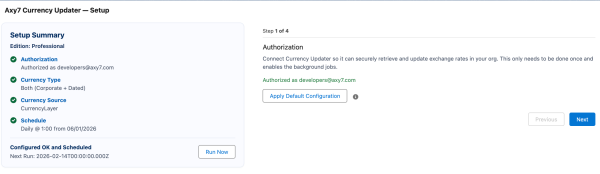
Step 1 — Authorization
Connect Currency Updater securely to your org.
Simply:
-
Click Authorize
-
Click Apply Default Configuration
The system establishes a secure OAuth connection and enables the required background jobs automatically. No manual API handling is required.
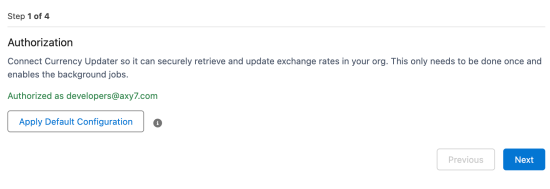
Step 2 — Currency Type
Choose how exchange rates should be managed:
-
Corporate Only
-
Dated (Advanced Currency Management)
-
Both (recommended for most organizations)
If Advanced Currency Management is enabled, selecting Both ensures that corporate and dated exchange rates are properly maintained.
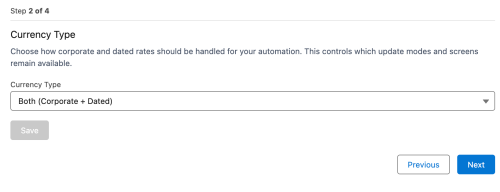
Step 3 — Currency Source
Select your trusted provider:
-
European Central Bank
-
CurrencyLayer
-
Bank of Israel
-
Bank of England
-
Bank of Canada
Only one source is active at a time, and it can be changed at any moment.
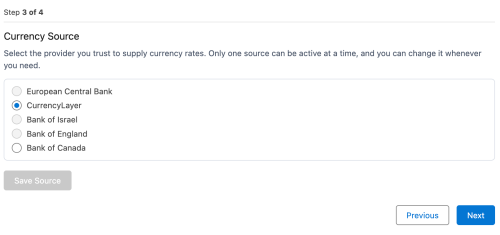
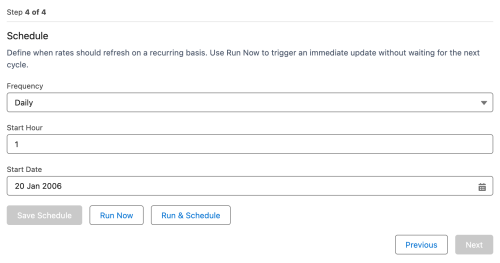
Step 4 — Schedule
Define how often exchange rates refresh.
You can:
-
Run immediately with Run Now
-
Or automate using Run & Schedule
The scheduler uses standard Scheduled Apex and follows bulk-safe and FLS-aware practices.
Custom Dated Exchange Rules
For advanced use cases, you can configure object-level dated exchange mappings:
-
Select an object
-
Choose the date field
-
Define the exchange rate field
-
Activate the rule
The engine reads Salesforce DatedConversionRate, applies rates in a trigger-safe manner, supports bulk operations, and includes nightly batch processing for data consistency, as detailed in the technical documentation
Custom Objects Rules – Code inv…
.
The Result
From installation to full automation in minutes.
The new Setup Experience reduces complexity, improves clarity, and provides more configuration flexibility while remaining secure and scalable.
